Morning and evening routine
The evening routine closes today and books tomorrow. Open Evening in Today to review today's booked work, capture anything missing, plan tomorrow, and lock it in.
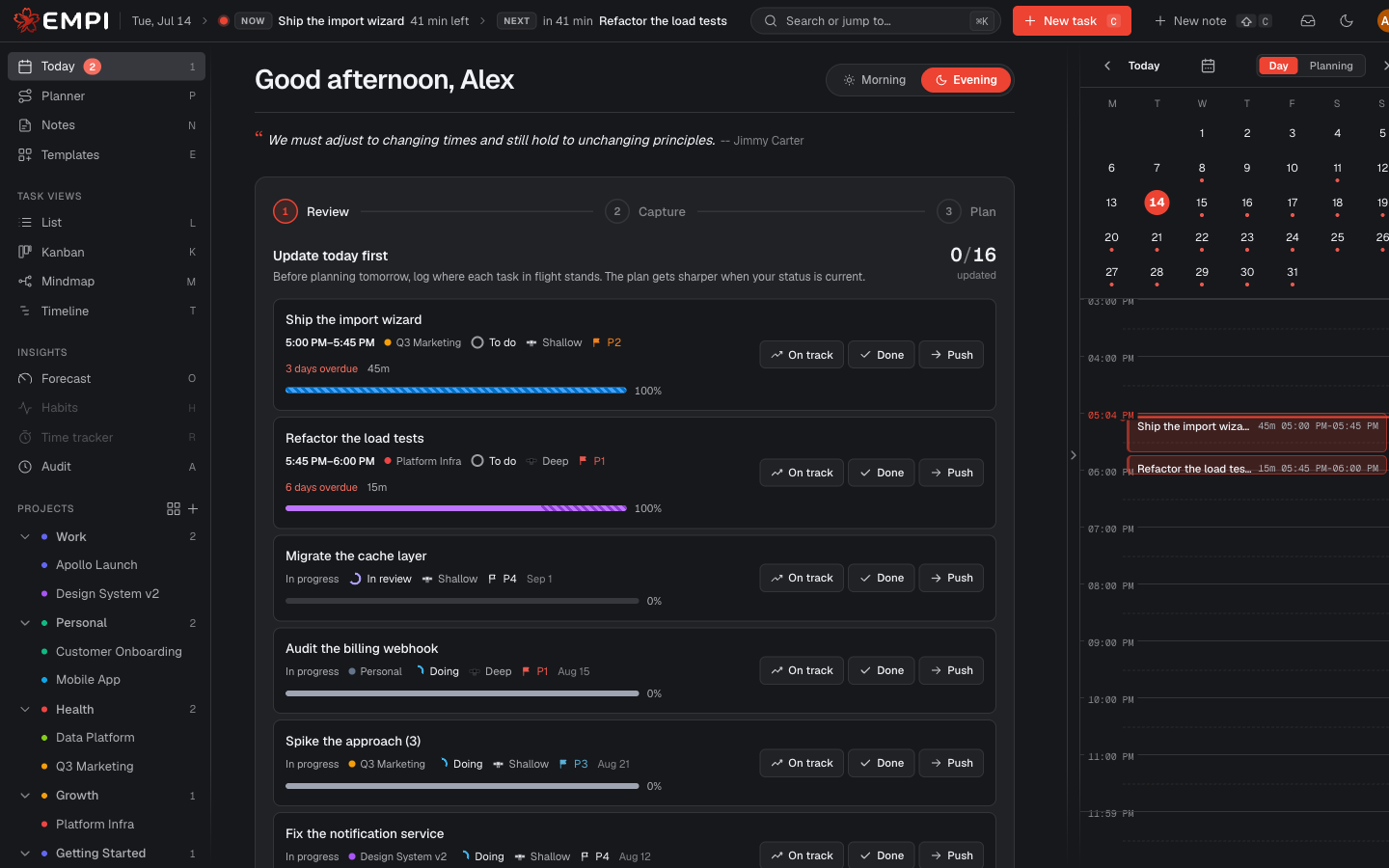
1. Review
Every block you had reserved today comes back for a decision. A booked block can offer four buttons:
- On track: you made the progress you planned in the reserved time. The task keeps going and the remaining work gets rescheduled.
- Done: finished. The task moves to Done.
- Partial: you worked part of the block. Enter the time actually worked and a reason; Empi keeps that portion, frees the rest and reschedules only the unfinished minutes. This is offered only when the row has a real booked block.
- Push: you did not get to it. Empi asks for a reason and moves the work to the next working day (or lets the planner decide).
Note
Push frees the reserved time, but it does not change the task's due date and does not change its status. The deadline is still the deadline. That is deliberate: pushing work is not the same as agreeing to deliver it later.
Nothing in flight to update? Empi tells you the wrap is clean and sends you straight on. On a day off, a fully booked day, or a day covered by a vacation or out-of-office event, it does not ask you to explain unscheduled work that could not have fitted in the first place.
2. Capture
A quick pass over everything you created today, so nothing slips:
- Tasks you created today that are missing a deadline and estimate get them filled in inline, right there in the step. That is what the planner needs to schedule them.
- Notes captured today can be converted to tasks in one click (converting removes the note).
- Transport to review: commute and travel items around today's events are shown so you can adjust them.
If nothing new came in, the step says so and moves you on to planning.
3. Plan
The last step shows the planner's change set for tomorrow: what gets added, moved, resized or removed on your schedule, plus the top picks to start on. You can Reschedule to recompute after an edit, then Apply plan.
If applying would move reserved blocks you already had, Empi asks you to confirm the reclaim first. It never silently rearranges booked time.
Finish with Lock in tomorrow (it asks to confirm with Book & finish). Tomorrow's slate is then booked and locked. You can reopen it from the same place if something changes.
For what the planner is actually deciding in this step, see Planning and the Planner view.
When it runs
- Active days only. The routine fires on days that have a time slot with windows (work, spare time, any slot you created). It does not fire on off hours.
- Start it early. You do not have to wait for the natural evening cutover. Today offers "Start your evening routine early?" whenever you want to wrap up and plan tomorrow ahead of time.
- Catch-up. If you never finished last night's routine, a banner appears the next morning ("Finish yesterday's evening review") and takes you back into it before you start the new day.