Keyboard shortcuts
Empi is built to be driven from the keyboard. Press ? anywhere to open the shortcuts panel, which lists everything below.
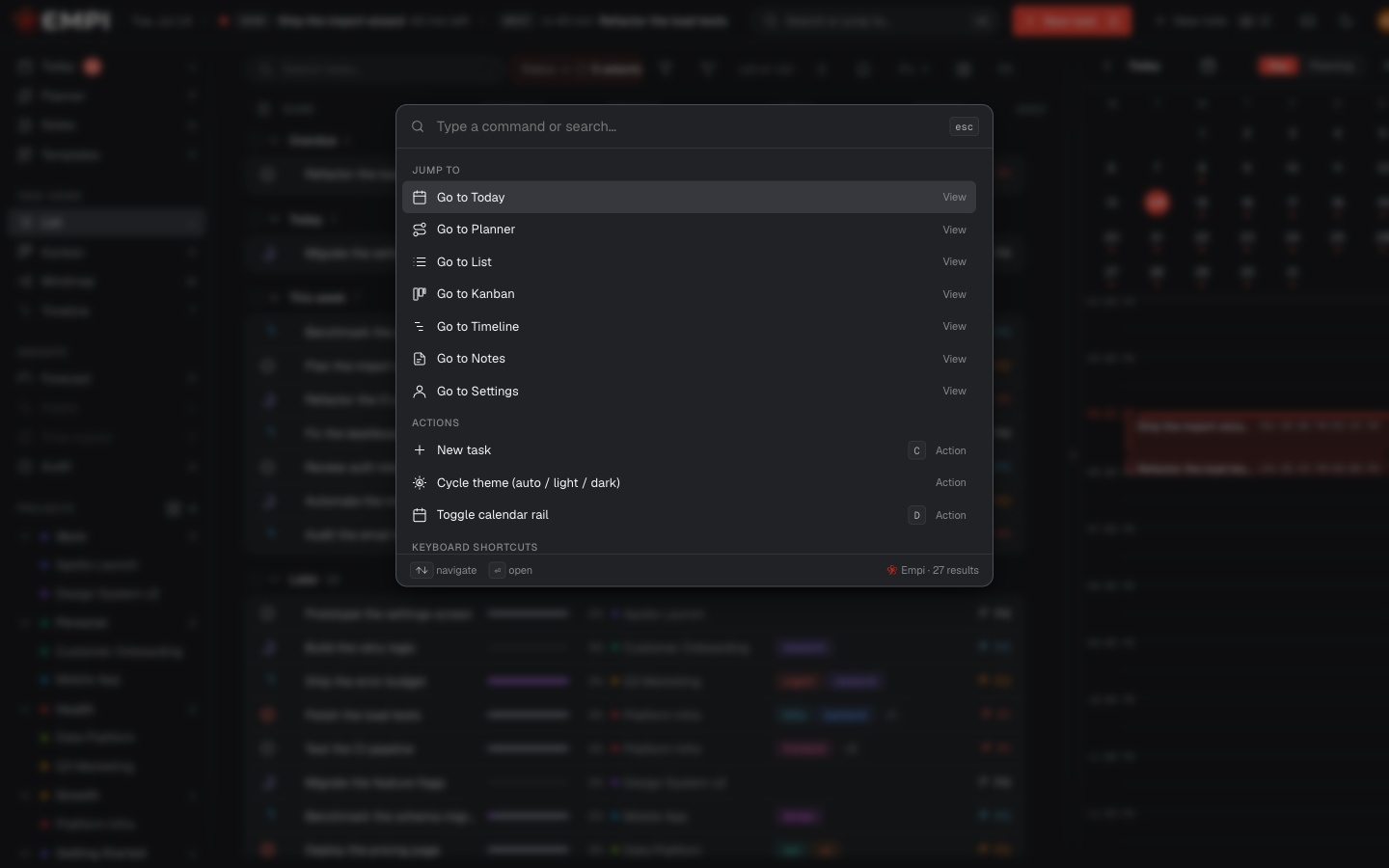
The command palette
Cmd+K (Ctrl+K on Windows and Linux) opens the command palette: search your tasks, notes and projects and jump straight to any view. It works even while you are typing in a field.
Navigation
Single keys, from anywhere in the app. The same letters are shown next to each entry in the sidebar.
| Key | Goes to |
|---|---|
| 1 | Today |
| P | Planner |
| N | Notes |
| E | Templates |
| L | List |
| K | Kanban |
| M | Mindmap |
| T | Timeline |
| O | Forecast |
| A | Activity log (owners and admins only) |
Global
| Key | Action |
|---|---|
| Cmd+K / Ctrl+K | Command palette |
| C | New task |
| Shift+C | New note |
| S | Toggle sidebar |
| ? | Show keyboard shortcuts |
List view
| Key | Action |
|---|---|
| / | Focus task filter |
| X | Toggle row selection (on the row under your cursor) |
Today: calendar rail
| Key | Action |
|---|---|
| D | Toggle calendar rail |
| V | Cycle day / schedule view |
Timeline
| Key | Action |
|---|---|
| Z | Cycle zoom (Shift+Z cycles backwards) |
| Cmd+Z | Undo last move |
Task panel
These work while a task is open.
| Key | Action |
|---|---|
| E | Edit description (on the Description tab) |
| F | Toggle focus mode |
| R | Resize panel |
| Left Right | Adjust width (hold Shift for larger steps) |
| Cmd+Backspace | Delete current task |
| Esc | Close panel, or exit edit mode |
Note
Shortcuts are web-only. The mobile app uses touch gestures and native navigation instead.