Empi for Gmail
The Empi browser extension adds a capture action directly to Gmail. It creates a task by default, or a note when that is the better destination, without making you copy the message by hand.
Note
The extension is complete, but its Chrome Web Store listing is still being published. The connection controls can therefore appear in Empi before the extension is publicly installable for your account.
Connect the extension
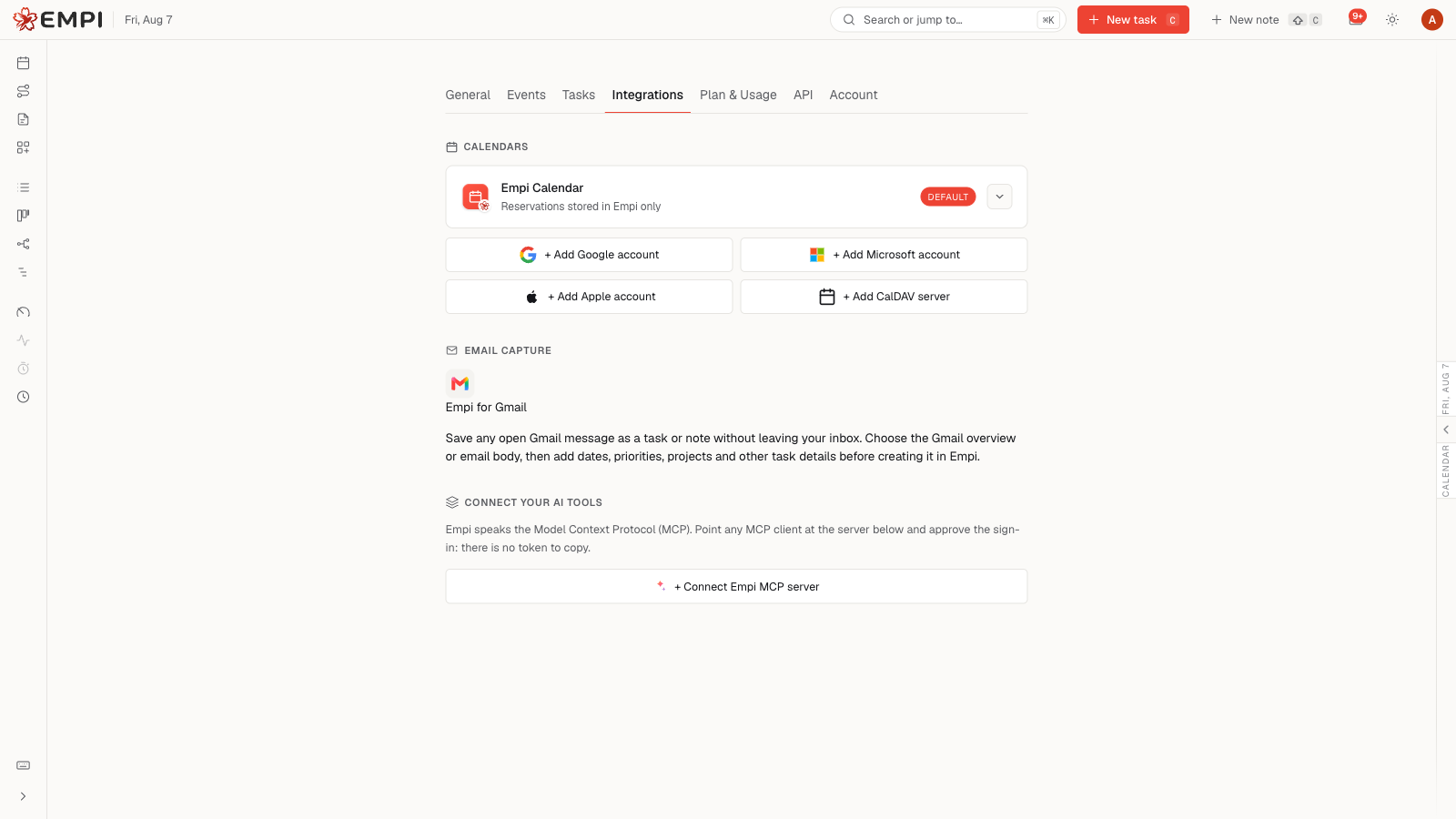
Open Settings > Integrations > Email capture. This section shows whether Empi for Gmail is connected and lets you approve or disable the connection.
When the Chrome listing is available:
- Install Empi for Gmail, then open Gmail.
- Select Connect Empi in the extension.
- Sign in to Empi in the browser if asked.
- Approve the connection. There is no API token to copy.
Capture an email
Open a message in Gmail and select the Empi icon beside Gmail's message actions. The capture panel opens on the current message.
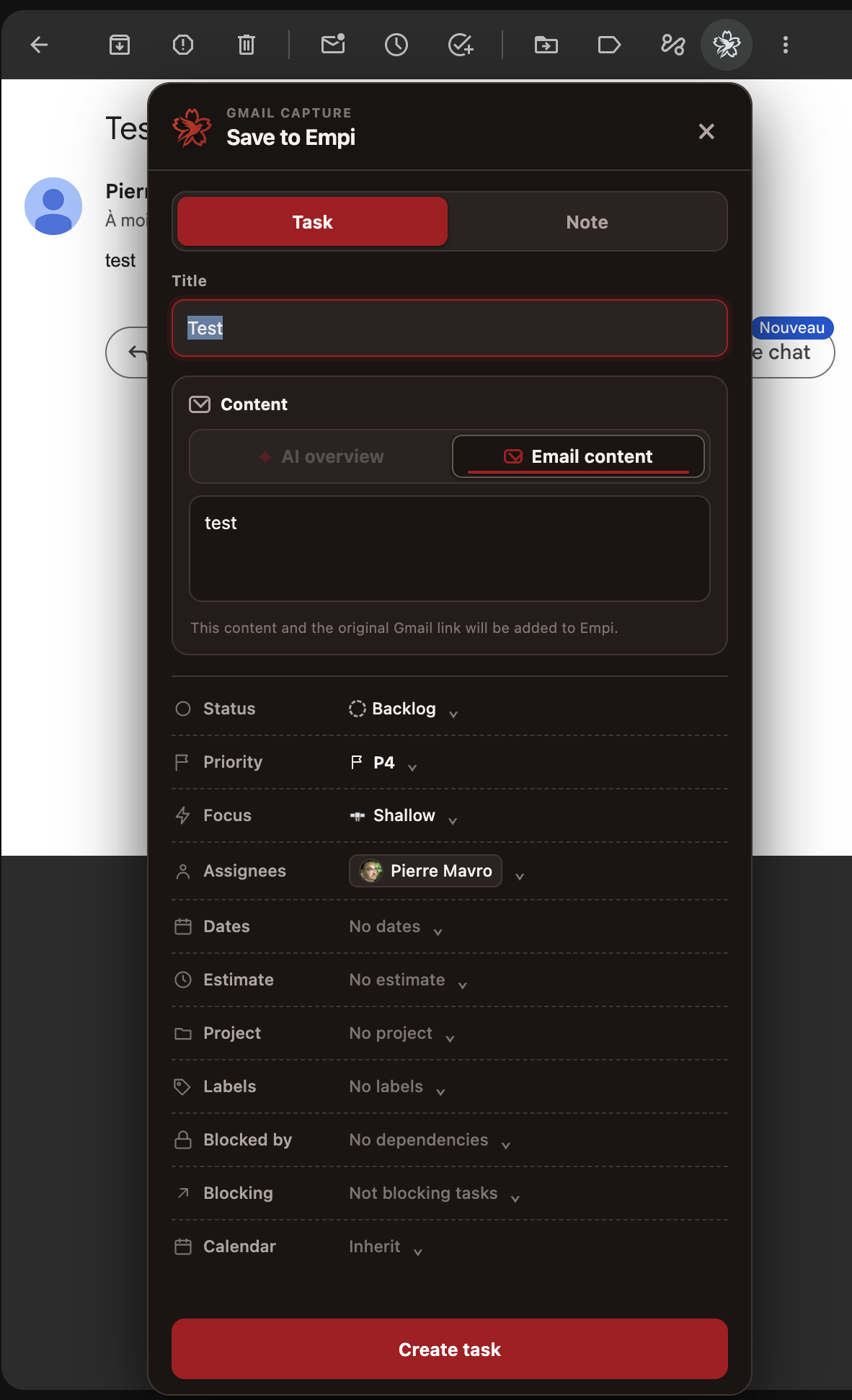
- Keep Task, the default, or switch to Note.
- Edit the title if the email subject is not clear enough.
- Choose AI overview or Email content. Empi prefers the AI overview when Gmail provides one and falls back to the message body when it does not.
- Review or edit the selected text.
- For a task, set any useful properties: project, status, priority, focus, start and due dates, estimate, assignees, labels, dependencies, reverse dependencies and calendar.
- Select Create task or Create note.
The new item keeps Gmail capture metadata and an Open original email in Gmail link, so you can return to the source message later.
Disconnect or troubleshoot
Use Settings > Integrations > Email capture > Disable connection to revoke the managed extension credential. It is not a regular API token and cannot be managed from the generic API token page.
- If the panel says Connect Empi, reconnect it from the extension.
- After reloading or updating the extension, refresh the Gmail tab before capturing another message.
- If AI overview is unavailable, use the automatically selected Email content instead.
- If you cannot install the extension yet, its Chrome Web Store publication is still pending for your account.