Events
The Events tab is where you describe your week to Empi: where you go, when each kind of activity can happen, how your calendar events count, and what time you hold free for meetings. Everything the planner does downstream depends on what you set here.
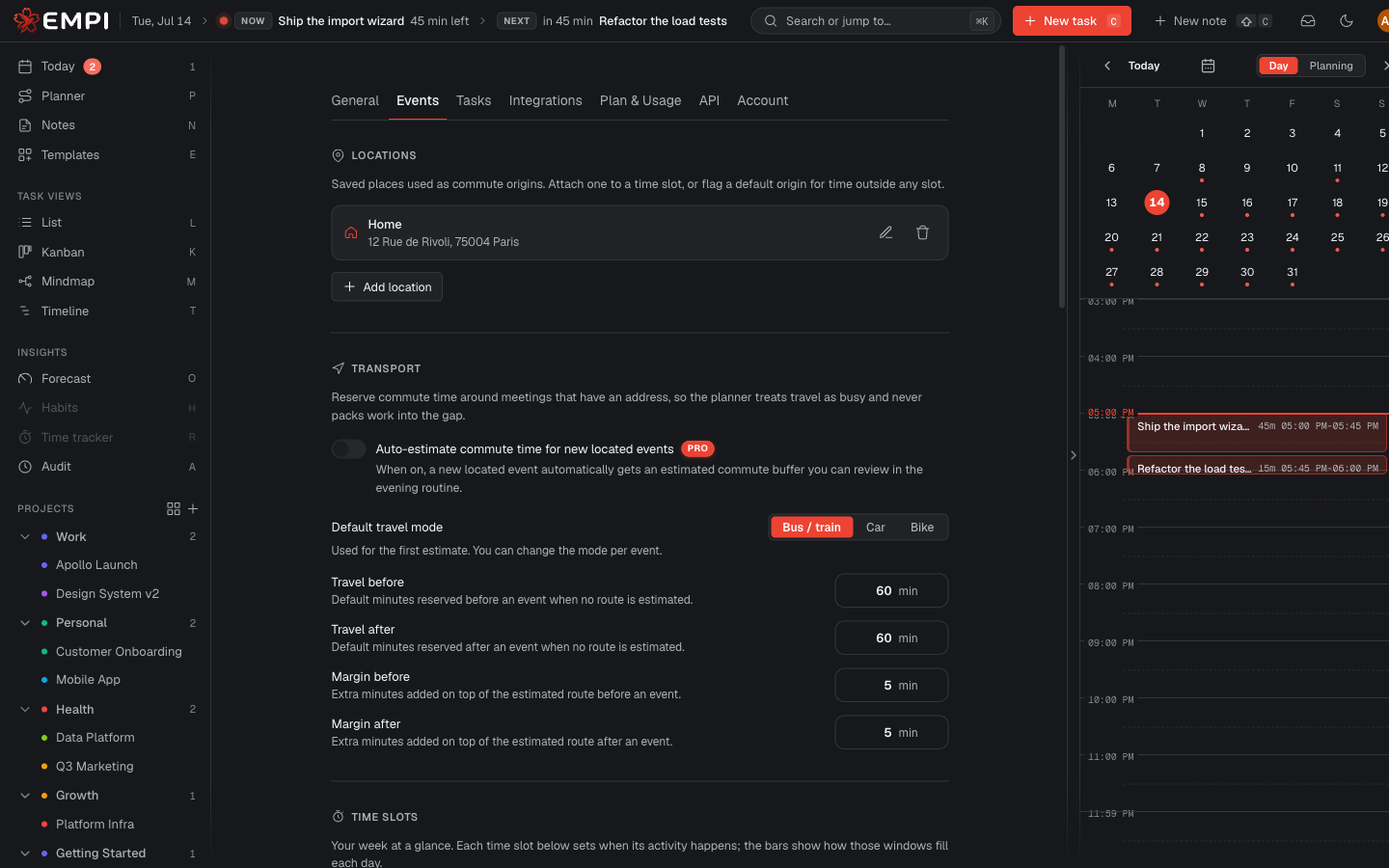
Locations
Saved places (Home, Work, the gym, a client office) used as commute origins. Each one has a name, an address and an icon. Attach a location to a time slot, or flag one as the default origin for time outside any slot.
Without at least Home and Work, Empi cannot estimate a realistic commute. See Commute time.
Transport
Reserves travel time around meetings that have an address, so the planner treats travel as busy and never packs work into the gap. You set a default travel mode, default minutes before and after an event when no route can be estimated, and extra margins added on top of an estimated route.
Auto-estimating the commute for new located events is a Pro feature. The details of how legs are built, re-estimated and healed are in Commute time.
Time slots
A time slot is a named kind of time (Work hours, Off hours, Spare time, and any you create) with weekly windows that say when that activity can happen. The preview bars show how your windows fill each day. Work hours, Spare time and Off hours cannot overlap.
Each slot can carry a color and a Commute origin, which is where you travel from during those hours.
This is the single most important setting in Empi: if there is no window, there is no capacity. See Time slots.
Calendar event types
Event types are categories you assign to a calendar event from its details panel. Meal is built in, and you can add your own (for example Sport).
What matters is Counts as, which sets how the type loads your day:
- Meeting and Focus count toward busy time.
- None is ignored, so a personal block does not eat your capacity.
Assigning a type in Empi never changes the event in your external calendar. See Agendas and event types.
Meeting reserve
Time held free each day for incoming meetings, pinned to an exact time. The planner never schedules focus work inside a reserve window, and the reserved time counts against the day's capacity, so your plan stays honest when the invites land. You never appear as busy to other people during a reserve window.
Calendar defaults
Defaults applied when Empi creates a new reservation: its Visibility (public or private), how it shows as (busy or free), and the default reserve duration pre-selected when you click the calendar day grid to book a slot. Any single reservation can still override these.