Tasks
The Tasks tab tunes the two things that decide what your day looks like: the routine that paces it, and the numbers the planner uses when it books time on your calendar.
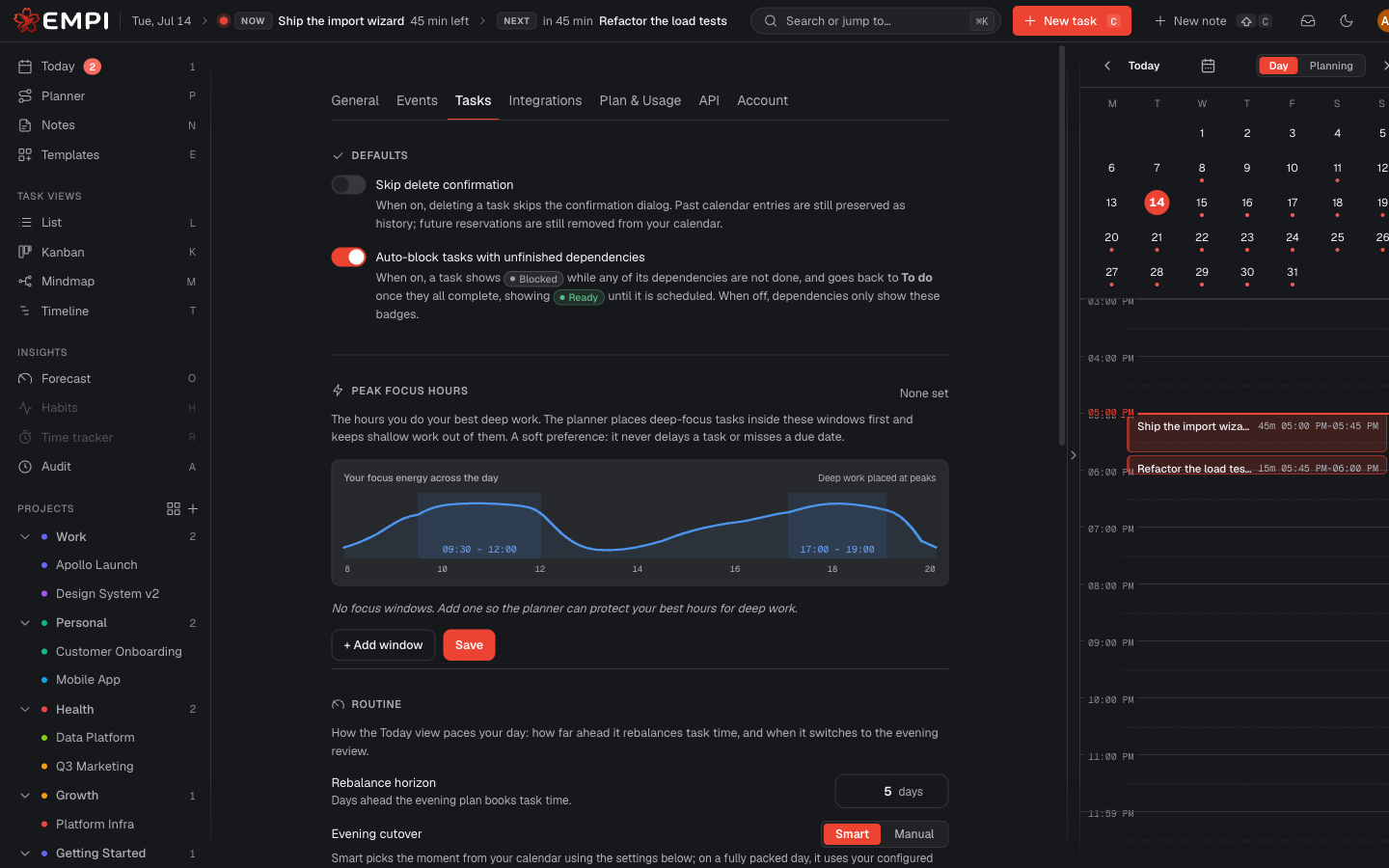
Routine
How the Today view paces your day: how far ahead it books task time, and when it switches from the morning view to the evening review.
Rebalance horizon. How many days ahead the evening plan books task time. A short horizon keeps the plan tight and close; a long one lets Empi place work that is due weeks out, at the cost of a plan that moves more. Your plan caps the maximum (see Plans and billing).
Evening cutover. When Today flips to the evening routine.
- Smart picks the moment from your calendar. You set the minimum free gap (how long a free block must be to count as a good moment to switch) and the earliest cutover hour (Smart never picks a moment before it). On a fully packed day with no gap, it uses your fallback: either a fixed hour or the last free slot found in your day.
- Manual switches at a fixed time you set, whatever your calendar says.
Evening routine reminder. Opt in to get a notification at the evening cutover so you do not miss the review. See Notifications.
The routine itself (Review, Capture, Plan, then the wind-down lock-in) is described in Routines.
Planner
How the planner reserves task time: block sizes, how many run back-to-back, how many tasks stay in flight, and what it prioritises. See Planning for what the engine does with these numbers.
Min slot size. The smallest block the planner will reserve. Raise it if you hate 15-minute fragments; the cost is that leftover time below this length stays unscheduled.
Max slot size. The cap on a single auto-reserved block. A task longer than this is split into back-to-back sub-blocks. Lower it to force variety into a day, raise it for long uninterrupted runs.
Break after and Break duration. After this many minutes of continuous work, the planner reserves a rest break of this length on your calendar. A meeting or a commute already counts as a break, so no extra one is inserted after them.
Planner pipes. How many tasks the planner tries to keep you working on at once. It is a soft target: the planner will exceed it if that is the only way to hit a deadline, and it tells you when it does.
Scheduling priority. Two ways to resolve the trade-off between best hours and fewest interruptions:
- Focus first: deep work claims your peak focus hours first, even if that means splitting a task's time across the day to land in the best slots.
- Reduce switching: a task's blocks for a day stay in one continuous run, even off peak, so you change context less often.
Peak focus hours
The hours you do your best deep work. The planner places deep-focus tasks inside these windows first and keeps shallow work out of them.
This is a soft preference, not a hard rule: it never delays a task and never misses a due date to protect a peak hour. If you set no windows, the planner simply treats every schedulable hour as equally good. Windows are drawn from the same weekly grid as your time slots.