Templates
template とは、新しいタスクにあらかじめ値を入力しておく、再利用可能なプリセットです。 バグ報告、meeting のフォローアップ、週次レビューなど、毎回同じ形で作成するものに使い ましょう。
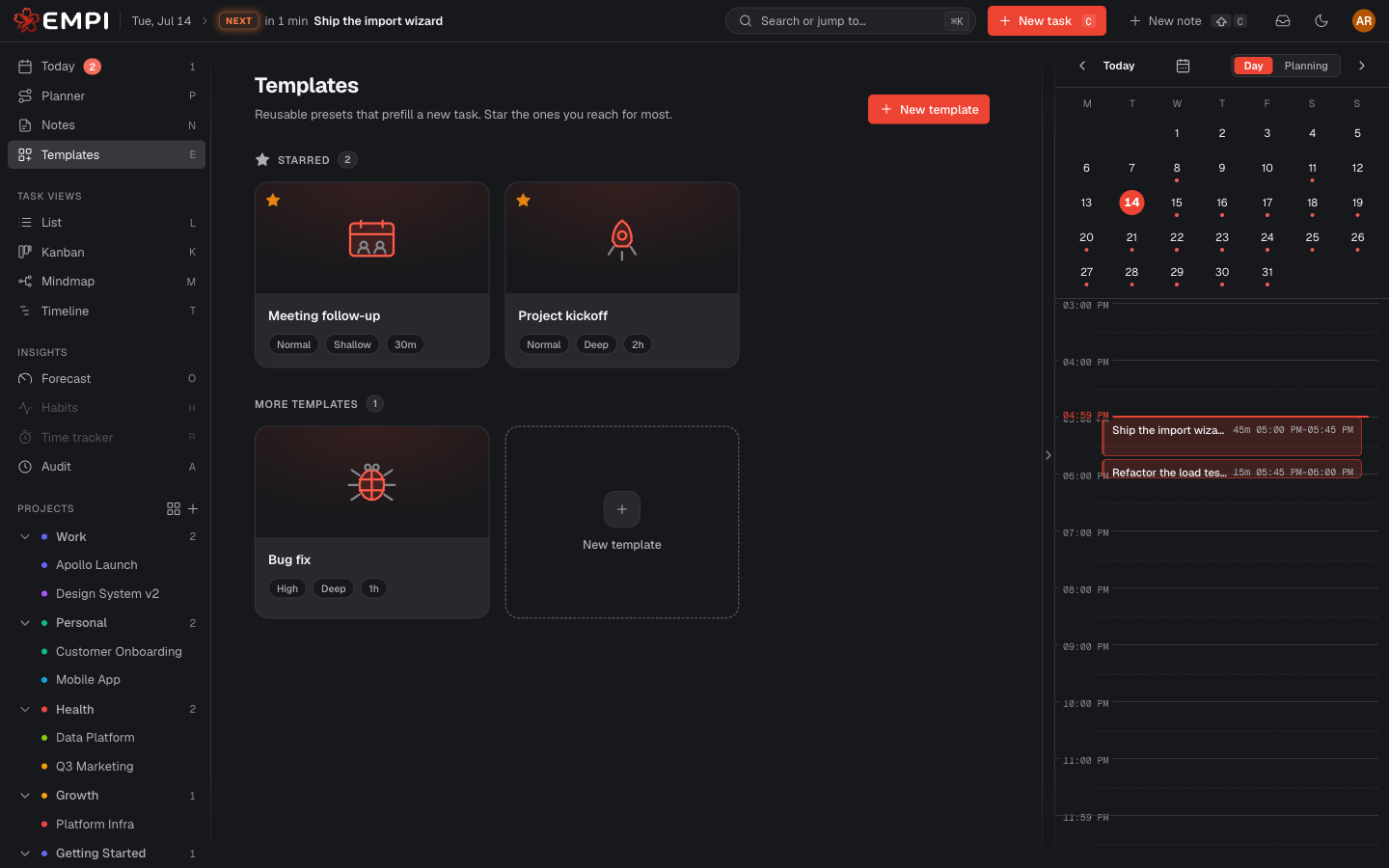
Browse
template は /app/templates(サイドバーの Templates)にあります。ギャラリーに
は、まず Starred な template が表示され、その後に More templates として残り
が表示されます。
Empi には、そのまま使える built-in template が 3 つ用意されています: Bug fix、 Meeting follow-up、Project kickoff です。それぞれに、どのみち自分で書いてい たであろう見出し入りの default description が付いています。
Star a favourite
Star すると、その template がギャラリーの先頭と、new-task modal の Start from a template ストリップの両方に固定表示されるので、よく使う template に常にワンクリ ックでアクセスできます。Unstar すると元に戻ります。
Create your own
New template を選ぶと、エディターが開きます。template には次を設定できます:
- Name と Icon、
- 既定の Priority、Focus、Status、Estimate、
- 既定の Project と Labels、
- タスク本文にあらかじめ入力される Default description。
どのフィールドも任意です。空欄のままにした項目は、単にあらかじめ入力されません。
Edit で既存の template を開き直せます。Delete で削除できます(確認あり)。 3 つの built-in template は編集も削除もできません。未保存の変更があるままエディター を閉じても、次に開いたときに Empi がその内容を復元します。
Apply one to a new task
new-task modal を開き(C、またはトップバーの New task)、Start from a template ストリップから template を選ぶか、Browse all をクリックしてギャラリー 全体を開き、Use this template を選びます。
template はプロパティを埋めるだけで、何もロックされません。template が設定した項目も 含めて、タスクを作成する前に自由に変更できます。template の適用はタスクへの初期値の 入力であり、その後も同期し続けることはありません。